Your travels,
animated on the map.

Drop your stops, pick your vehicle, add your photos: Travel Story Maker turns your itinerary into a video ready for Reels, TikTok and YouTube — in minutes.

  • No install required
travel-story-maker · Peru → France → Japan
Kyoto · sunset

Kyoto · sunset

Trusted by travelers worldwide

0+

happy users

0+

videos created

0+

countries mapped

From idea to video, in under a minute

Drop your stops

Search for a city or click the map. Drag and drop to reorder, rename in one click.

Pick your style

Map, 3D vehicle, markers, per-stop photos, speed, watermark — everything tweakable live.

Export the video

Download an MP4 or WebM in social-ready ratios. Everything stays in your browser.

Plan your trip, day by day.

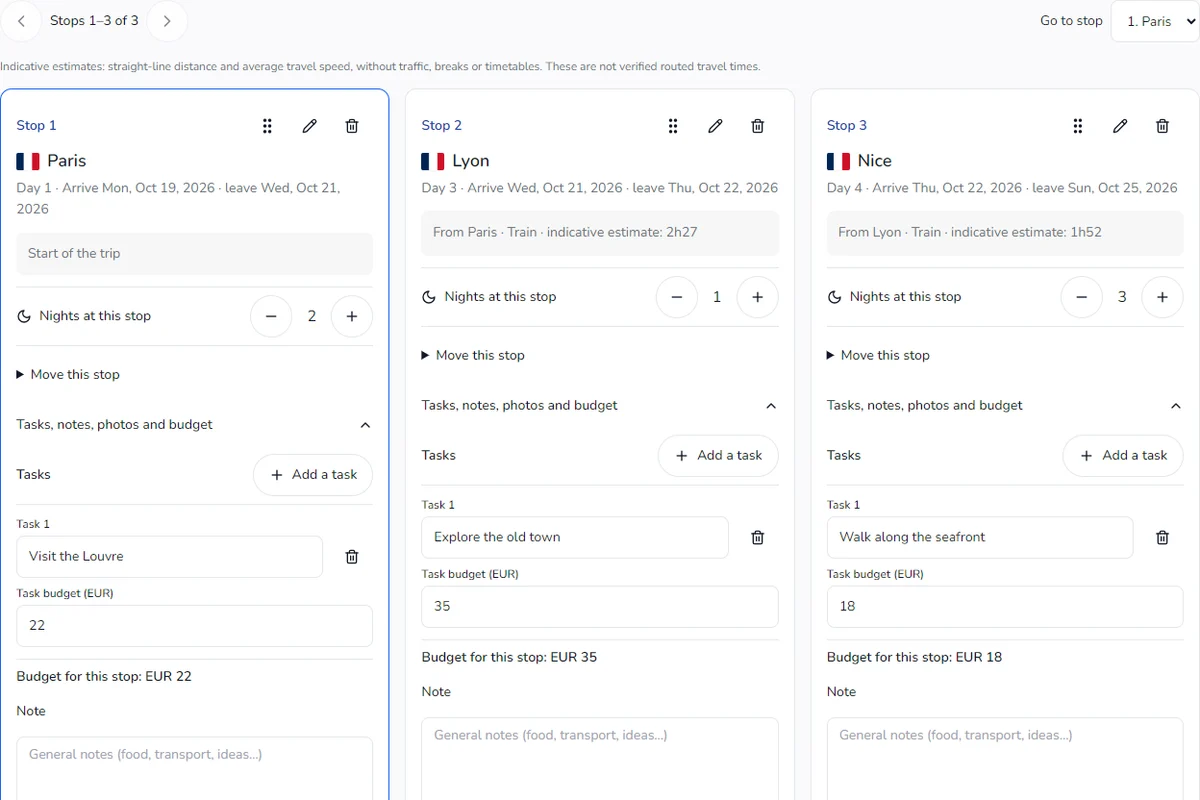
The Steps page turns your itinerary into a real planner: start date, nights per stop, estimated travel time and vehicle for each leg. Everything stays in sync with the editor.

  • Visual calendar and automatic arrival dates
  • Adjustable nights per stop
  • Custom cover image
Open the planner
travelstorymaker.com/steps
Départ · sam. 6 juin
7 nuits
1
🇫🇷Paris
2 nuits
2
🇵🇹Lisbonne
3 nuits
3
🇲🇦Marrakech
2 nuits
PDF Export

Different animation styles.

6 map styles, 25+ 3D Fluency vehicles, custom markers, speed, easing, watermark: every detail is in your hands.

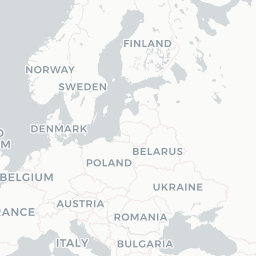
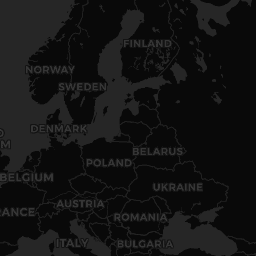
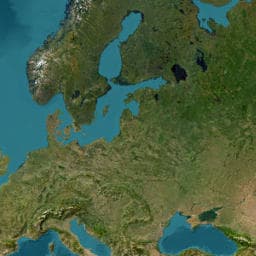
  • 6 maps (light, dark, satellite, vintage, atlas…)
  • 25+ 3D vehicles: car, train, plane, bike, boat, rocket…
  • Custom Start / End icons + per-stop photos
travelstorymaker.com/styles
Light
Light
Dark
Dark
Satellite
Satellite
Vintage
Vintage
Premium
Premium
Atlas
Atlas
Choose

Pause on the highlights.

When your vehicle arrives at a stop with photos, the animation pauses for 2 seconds to show them full-screen — like a mini slideshow inside your video.

  • Auto-pause on arrival
  • Slideshow when there are multiple photos
  • Markers animated and oriented to heading
travelstorymaker.com/stops
Route 66 desert road

Route 66 · photo stop

Welcome to Fabulous Las Vegas sign

Las Vegas · photo stop

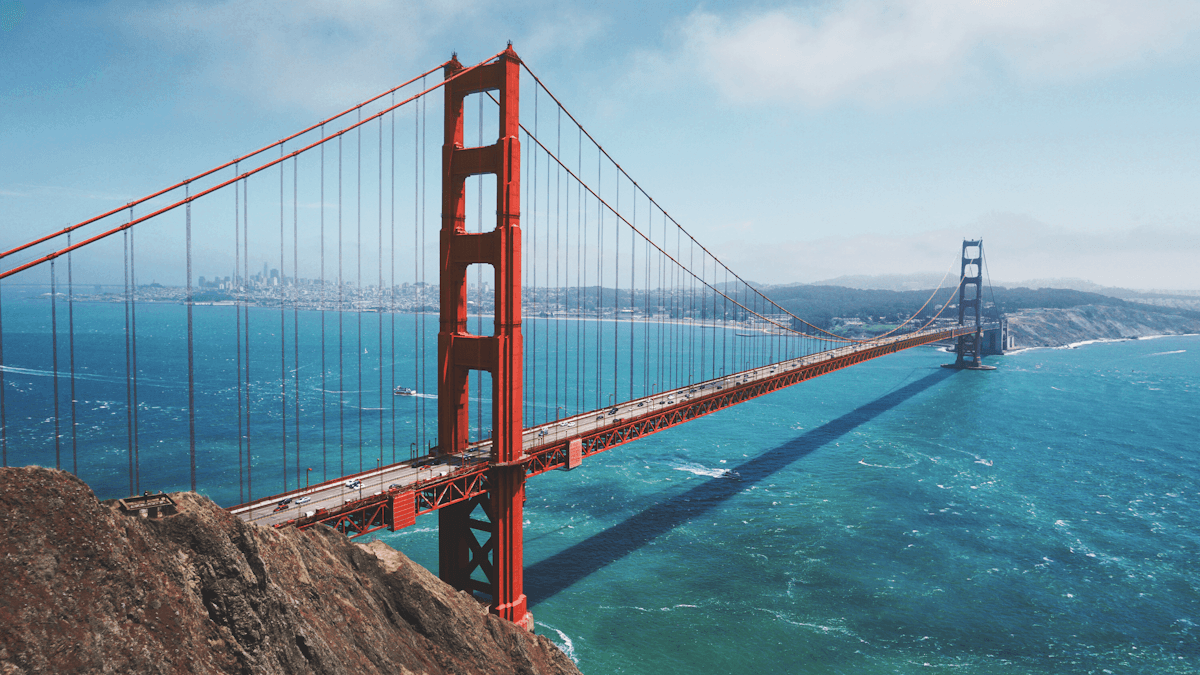
Golden Gate Bridge, San Francisco

San Francisco · photo stop

Add photos

Direct download, no tab sharing.

Rendering happens in your browser, frame by frame. The MP4 or WebM file is ready, no network upload, calibrated for Instagram, TikTok and YouTube Shorts.

  • Optimized canvas capture (≈ 5–10× faster)
  • 9:16, 1:1, 16:9 ratios — HD resolutions
  • No data sent to any server
travelstorymaker.com/export
YouTube · 1920×108016:9
Instagram · 1080×10801:1
Reels / TikTok · 1080×19209:16
X (Twitter) · 1920×108016:9
Publish

Loved by travelers and creators

« I replaced a two-hour After Effects edit with three minutes on Travel Story Maker. The rendering is cleaner, and my Reels got +40% more views. »
— Léa M., travel creator @lea.partout
« We use Travel Story Maker to recap our agency tours. Clients receive a polished 30-second video the day they get home — it's become our best referral channel. »
— Marco D., founder @altitude-trips
« As a teacher I was looking for a clean way to illustrate historical routes for my class. Five minutes, zero training, perfect result. My students loved it. »
— Sarah K., history teacher

Answered

Is my data uploaded to a server?

No. The full editor (stops, photos, animation, video export) runs in your browser. Routes are stored locally and only the strict minimum needed to render the basemap is sent to MapTiler and OpenStreetMap.

Which output formats are available?

MP4 if your browser supports it (Safari, recent Chromium), otherwise WebM, in 9:16, 1:1 and 16:9 ratios. Both formats play everywhere (Instagram, TikTok, YouTube, VLC, etc.).

Can I add my own photos to each stop?

Yes. Pick a stop from the sidebar or the Plan page, add 1 to 4 photos. When the vehicle reaches that stop, the animation automatically pauses for 2 s to show them.

Can I change the vehicle mid-route?

Yes — each segment between two stops can have its own vehicle (plane between two cities, car locally, bike for the last leg…). Travel Story Maker handles the transitions automatically.

Which map styles are available?

Seven HD MapTiler styles: Light, Dark, Satellite, Details, Night, Vintage and Watercolor. You can toggle between flat projection and 3D globe in the Animation panel, and change the label language.

Can I start on mobile and finish on desktop (or vice versa)?

Yes when you are signed in. Routes saved to your Dashboard are available across devices. As a guest, the draft stays in the browser where you created it.

Do I need an account to create an animation?

No. You can create, preview and export a video without an account. Signing in just lets you keep multiple projects in your Dashboard and pick up drafts later.

Can I add a cover photo, title and dates to the trip?

Yes. From the Plan page, add a title, dates, country and a cover image to turn your route into a short travel story. These elements can be shown as the video intro.

Does it work offline?

Once the map has loaded the first time, the tiles you browsed are cached locally. You can keep editing your route on a plane or with a flaky connection, although address search needs you back online.

Is there a free version?

Yes. The Discovery plan is free, no credit card, and lets you create full animations (with watermark and reasonable limits). The Creator plan unlocks HD/4K export, unlimited stops and all styles.

What is TravelStoryMaker.com?

TravelStoryMaker.com is a web editor that turns your itinerary into an animated video: drop your stops on a map, pick a vehicle, customize the style, and export as MP4 or WebM ready to publish on social media.

Do I need to install any software?

No. Everything runs directly in your browser (recent Chrome, Edge, Safari, Firefox). No downloads, no extensions to install.

Can I use it on a phone or tablet?

Yes. The editor is responsive and works on smartphone and tablet. For long video exports, a desktop is still recommended for better performance.

How do I create a route animation?

Open the Create page, add your stops by search or by clicking on the map, pick a vehicle, tweak the style and speed, then click Export to download your video.

Can I switch between road animation and flight animation?

Yes. Each segment can use a different vehicle: car, train or bike follow real roads, while a plane or helicopter draws a direct flight curve between two stops.

Can I change the route color?

Yes. From the Animation panel you can customize the path color, thickness, style (solid, dashed, etc.) or even hide it entirely.

Can I change the map style?

Yes. Seven HD styles are available: Light, Dark, Satellite, Details, Night, Vintage and Watercolor. You can also toggle between flat projection and 3D globe.

Can I change the icons?

Yes. Over 25 vehicles in 3D Fluency style are available (car, motorbike, train, plane, boat, rocket…), along with customizable start and end markers.

Can I adjust the animation speed?

Yes. Global speed and per-stop duration are configurable in the Animation panel. You can also pick an easing (linear, ease-in-out…) for a more cinematic feel.

Does it support 3D animation?

Yes. 3D vehicles are rendered through deck.gl with realistic bearing-aligned orientation, and the map can switch to globe projection for long international trips.

Can I create multiple routes in a single project?

Each project is one route. To manage several trips, create multiple projects from your Dashboard — they remain accessible and editable independently.

How can I contact support?

You can reach out anytime via the Contact link in the footer. We usually reply within 48 business hours.

Travel Story Maker — Animated travel route videos for social media